You can now start Background Agents directly from Linear. Delegate tasks to Cursor without leaving your issue. We've written a longer blog post with more details.
The terminal now opens on the left with a clear backdrop and border animation to highlight when it's blocking. Rejecting auto-focuses the input so you can respond immediately.
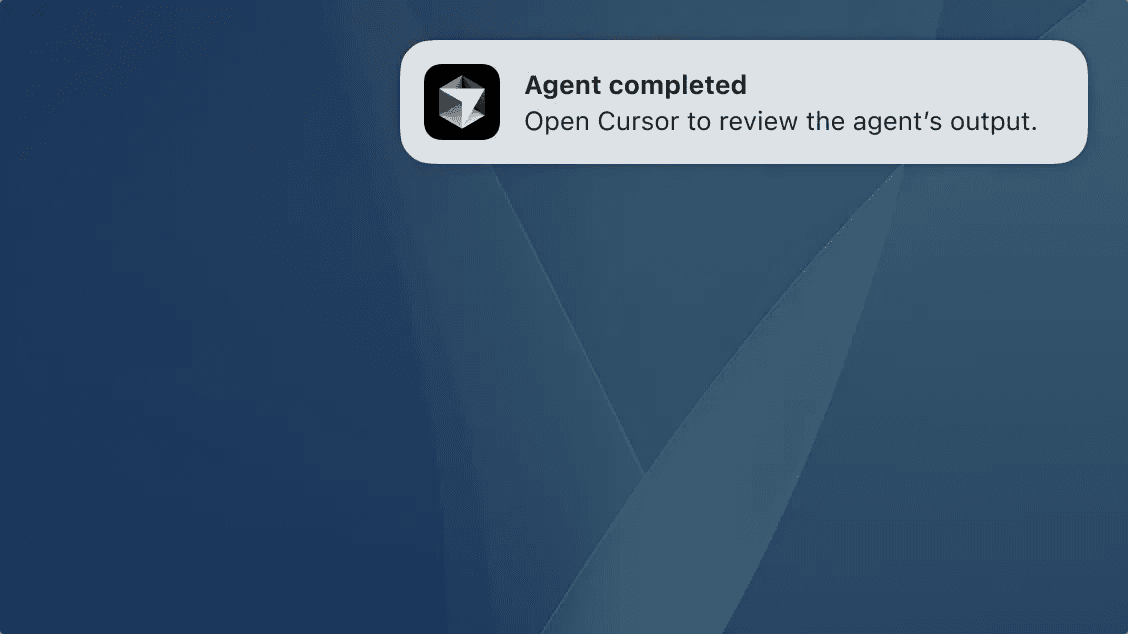
Get native OS notifications when an agent run finishes or when input is required, for example approving a command that is not allowlisted. Enable from Settings.
Support for MCP elicitation
Cursor now supports MCP elicitation, a new feature in the MCP spec that allows servers to request structured input from users, such as a user preference or configuration choice. Requests are defined with JSON schemas, giving servers validated responses while ensuring users stay in control of what they share.
Sending messages while Cursor is working now does a better job of steering the agent. Messages will run at the next ideal time, usually after a tool call, versus waiting until the generation completes. ⌥+Enter (Alt+Enter on Windows) will queue messages like before and ⌘+Enter (Ctrl+Enter on Windows) will interrupt the agent to send the message immediately. The default behavior can be changed in Cursor Settings → Chat → Queue messages.
Agents are significantly improved when operating across large codebases. Context selection is more relevant, token use is more efficient, and edit quality is higher:
Read file: Now reads full files when appropriate and the 2MB cap is removed.
List: Can now explore full directory trees in one call, with metadata like file counts and types.
Grep: Improved matching with less noise.
Codebase Search: Better ranking and indexing, leading to more relevant context.
Web Search: Tuned for smaller, more relevant responses using a lightweight native model.
Separate models per Agent
You can now assign a different model to each Agent in separate tabs and editors. Forking an Agent preserves the selected model.
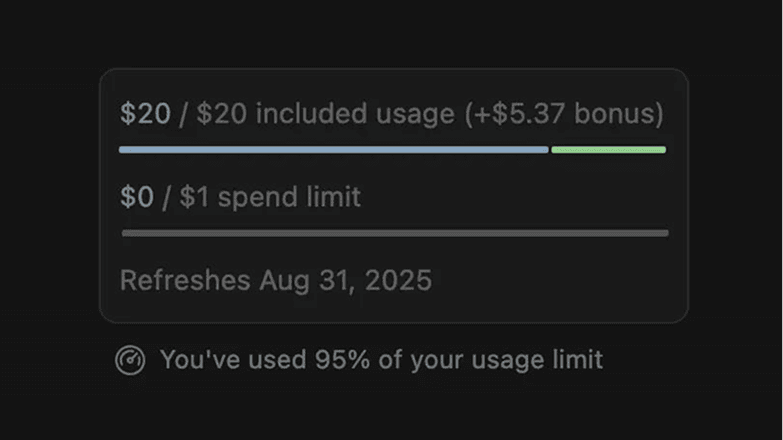
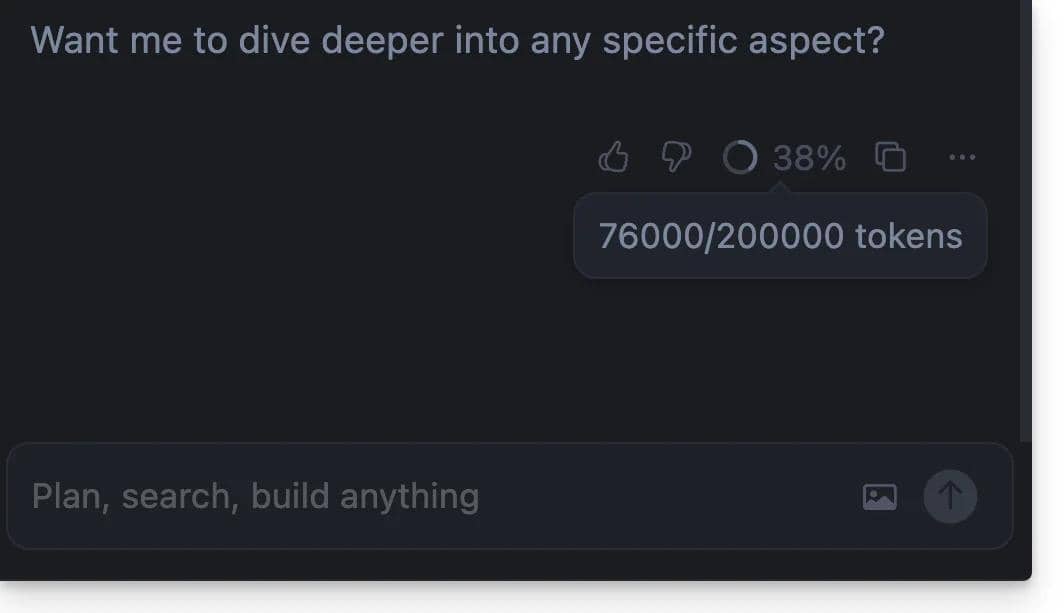
Usage stats are now visible in Chat. You can see your usage either all time, or when you've exceeded 50% of your plan's quota.
This summary can be toggled in Settings. Team and Enterprise users will have access to the usage summary in September.
Compact chat mode
Compact mode hides tool icons, collapses diffs by default, and auto-hides the input when idle. This can be useful for long sessions with many tool calls, terminals, and diffs. You can toggle compact mode on from settings.
GitHub support for Background Agents
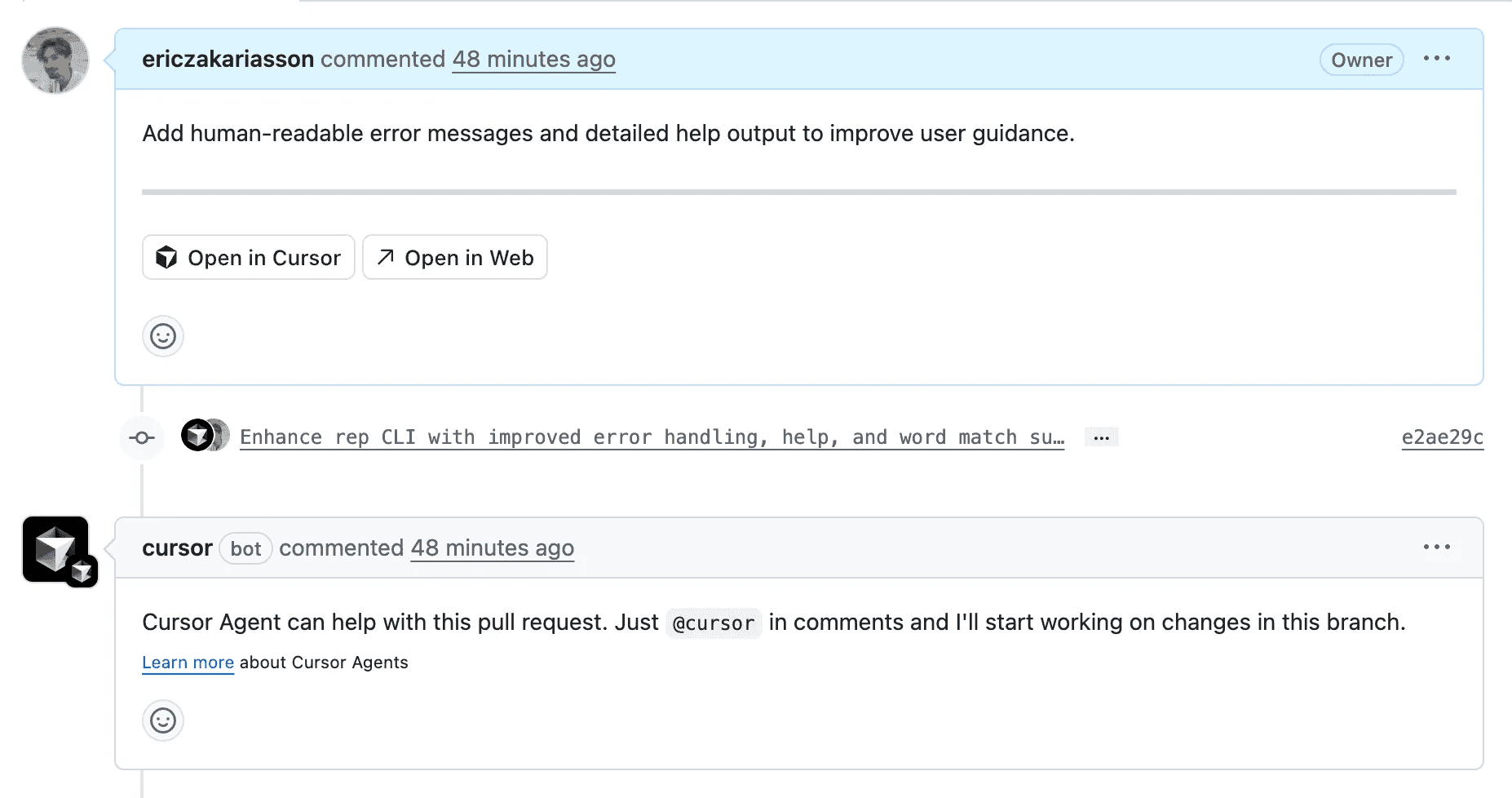
Agents can now be used directly inside GitHub pull requests. Tag @Cursor and the Agent will read the prompt, apply the fix, and push a commit.
Background Agent will keep you updated on status with a comment and todos.
Sidebar for all Agents
You can now inspect and manage all Agents from the left sidebar, both foreground and background. Peek into remote machines to see Background Agent working by clicking on one in the sidebar.
Agents can now use your native terminal. A new terminal will be created when needed and runs in the background if one isn't already open. Click Focus to bring it up front where you can see Agent commands and also take over.
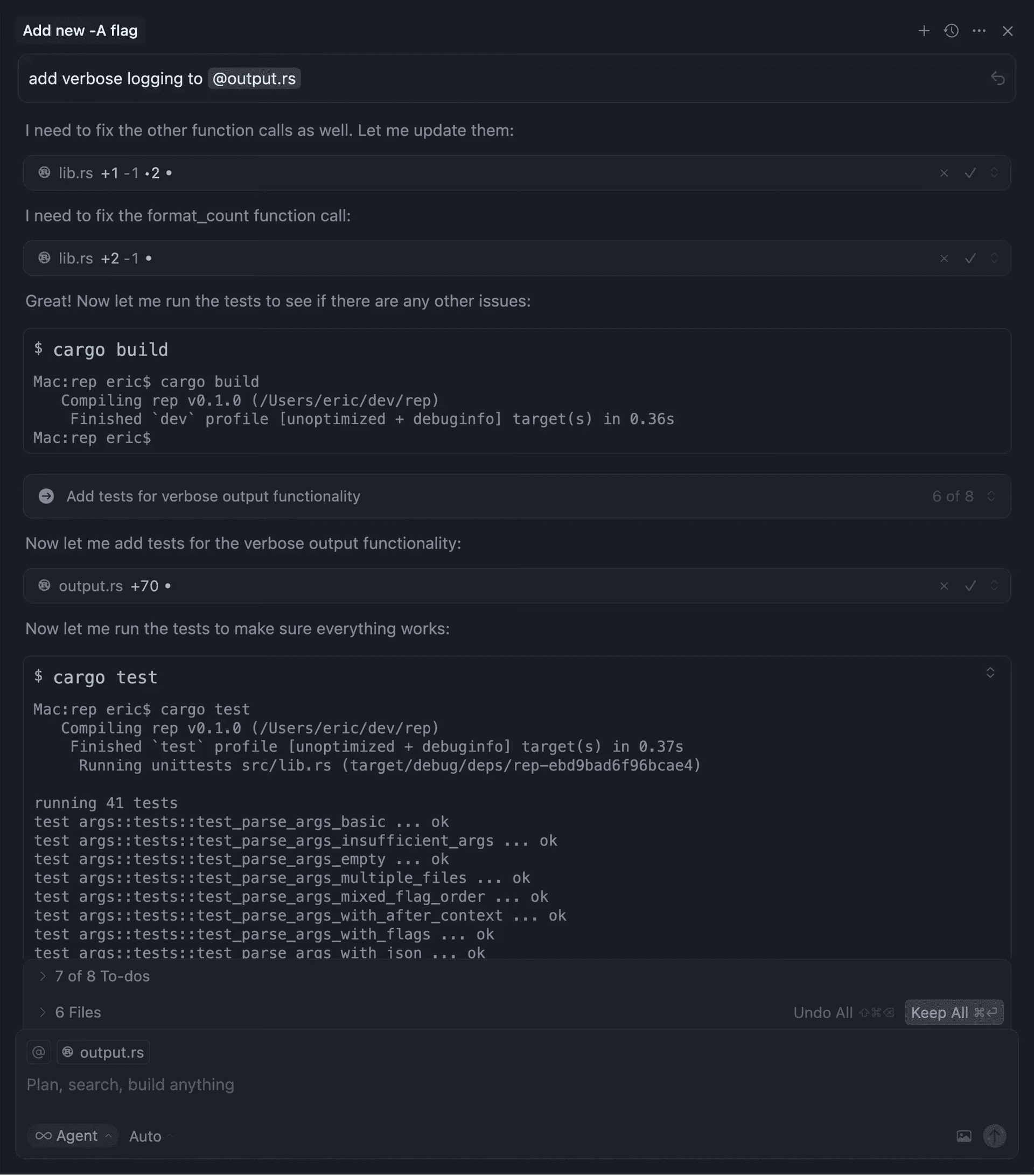
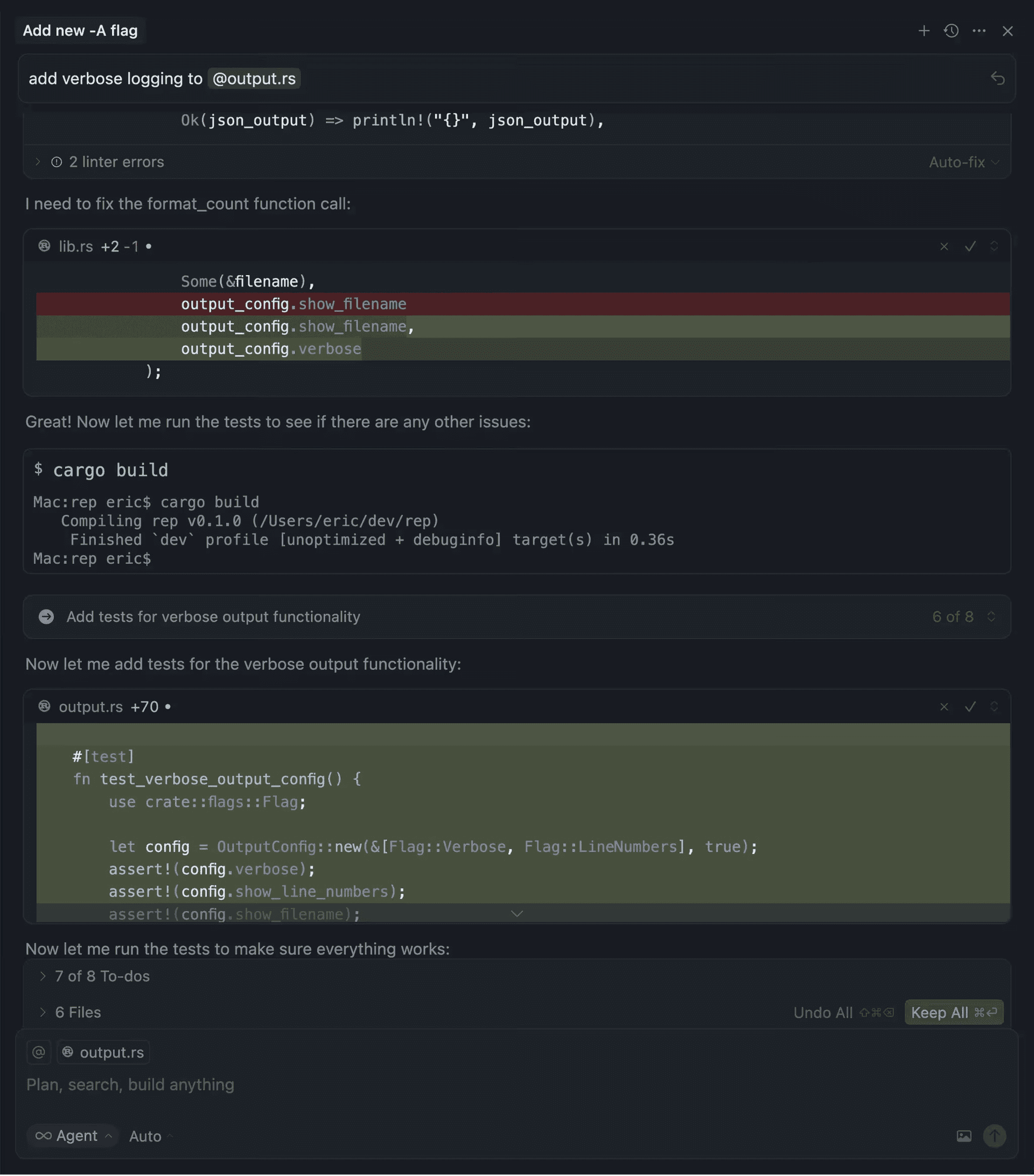
Agents now plan ahead with structured to-do lists, making long-horizon tasks easier to understand and track.
The agent breaks down longer tasks with dependencies, visible to you in chat and streamed into Slack when relevant. It can update this list as work progresses, keeping context fresh and interactions predictable.
To-dos are also visible in Slack if integration is setup!
You can now queue follow-up messages for Agent once it's done with current task. Just type your instructions and send. Once in queue, you can reorder tasks and start executing without waiting.
Memories is now GA. Since 1.0, we've improved memory generation quality, added in-editor UI polish, and introduced user approvals for background-generated memories to preserve trust.
Cursor now indexes and summarizes PRs much like it does files. You can search old PRs semantically or explicitly fetch a PR, issue, commit, or branch into context.
This includes associated GitHub comments, BugBot reviews, and Slack agent support—making postmortem analysis or incident tracing much faster.
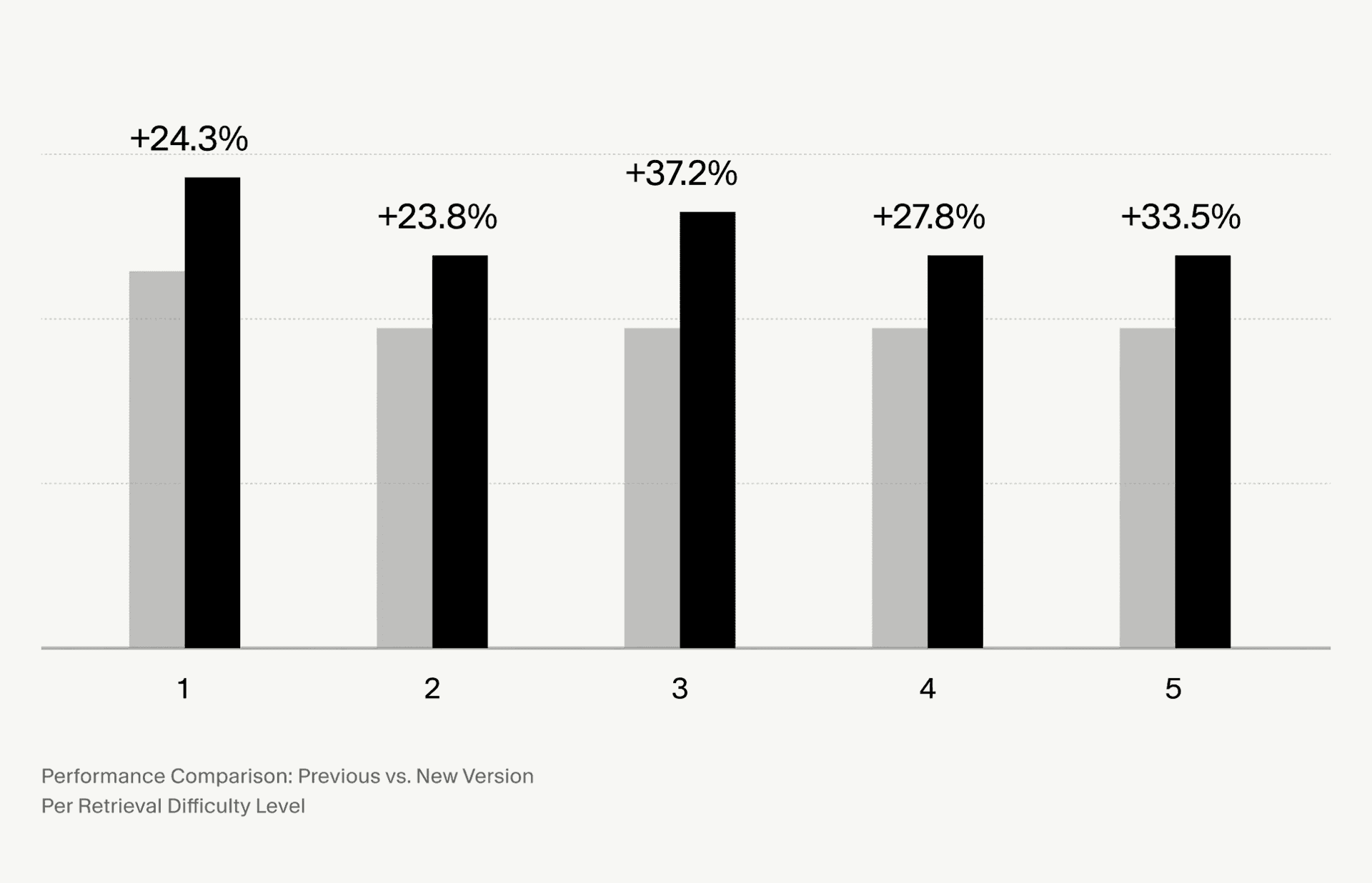
Codebase search is now much more accurate with our new embedding model. We've also re-tuned prompts to yield cleaner, more focused results.
Faster Tab
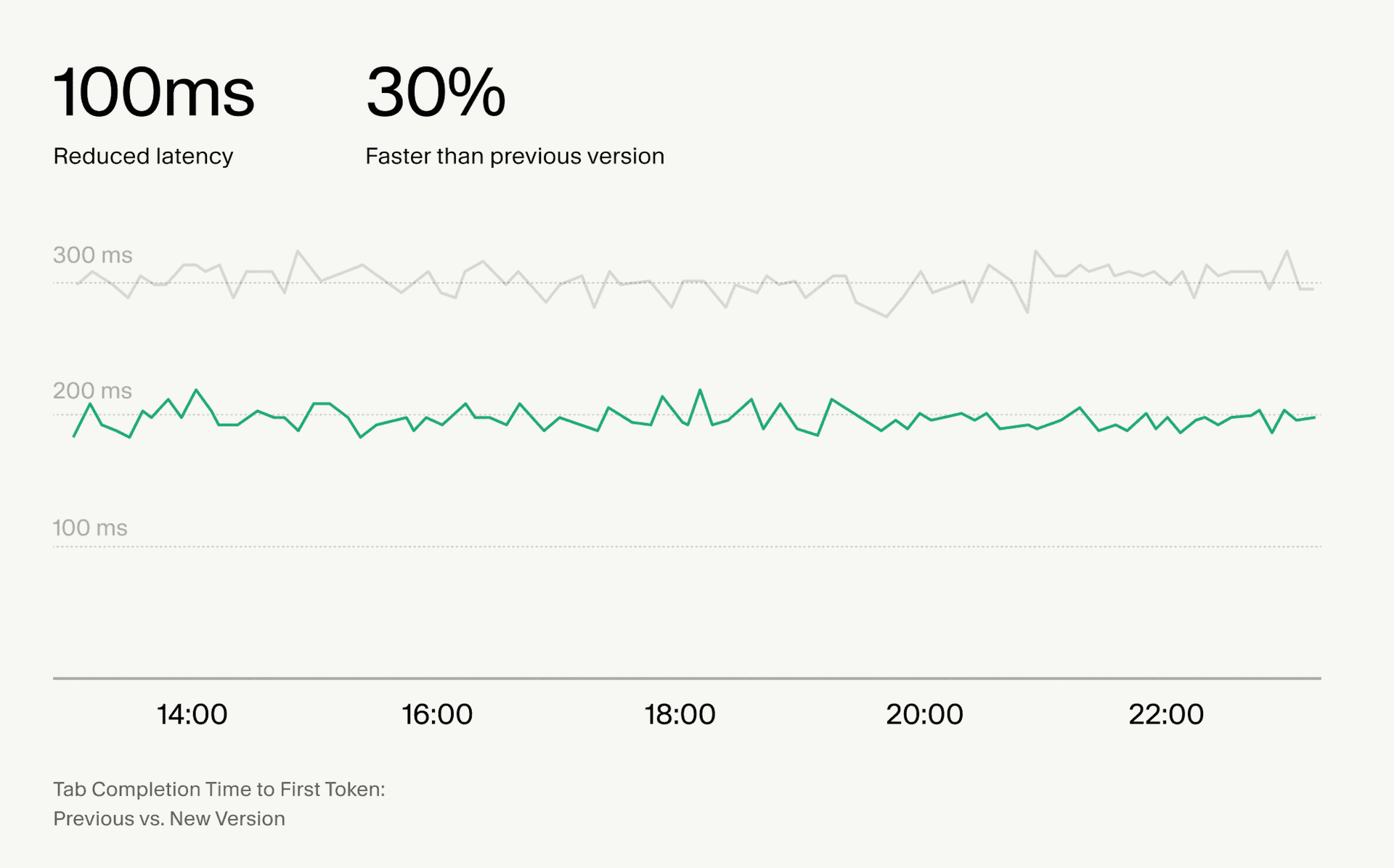
Tab completions are now ~100ms faster, and TTFT has been reduced by 30%. We made this possible by restructuring our memory management system and optimizing data transfer pathways.
Let Agent resolve merge conflicts
When merge conflicts occur, Agent can now attempt to resolve them for you. Click Resolve in Chat and relevant context will be added to resolve the conflict.
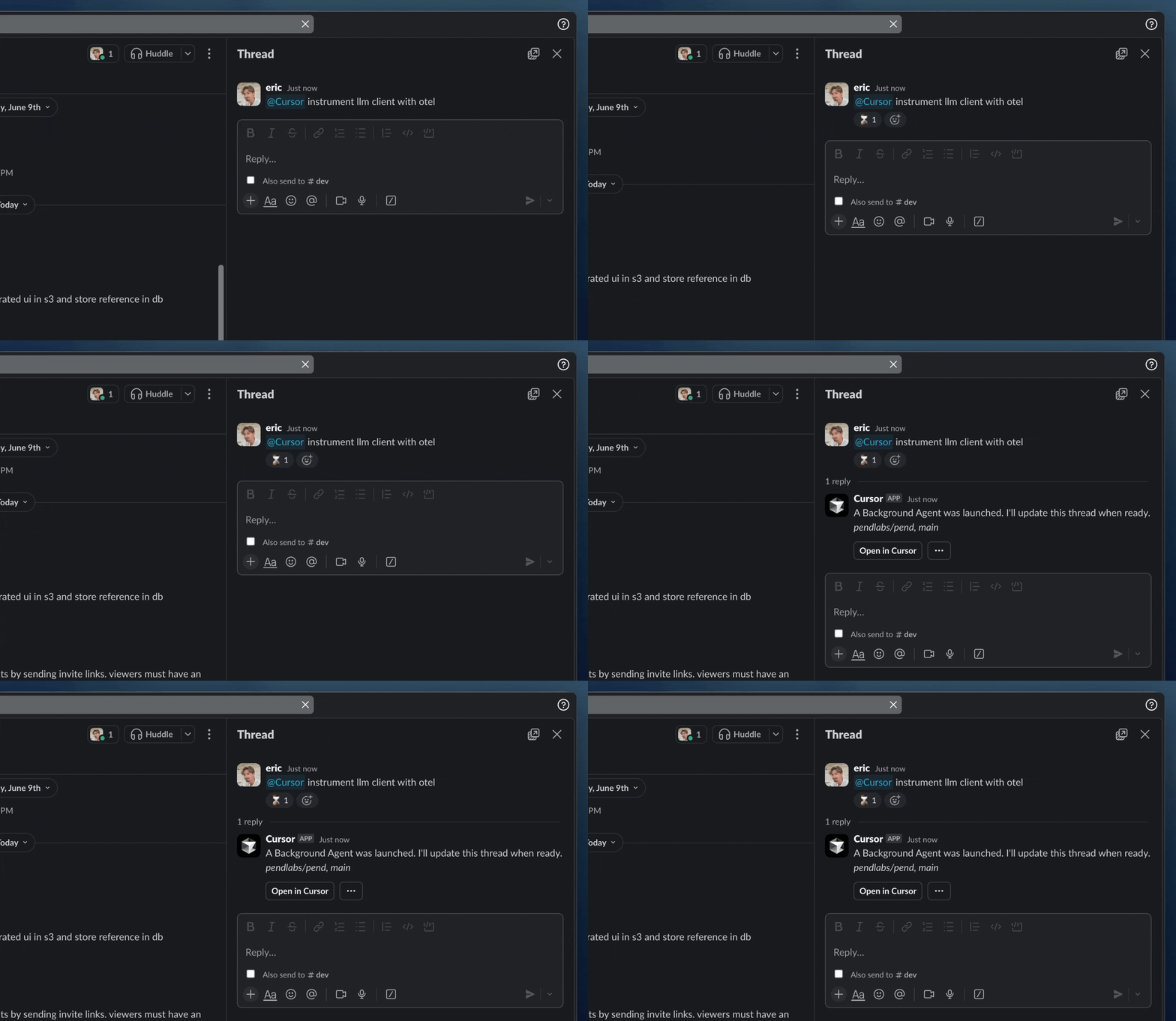
You can now launch Background Agents directly from Slack by mentioning @Cursor. Agents can read the thread, understand what's going on, and create PRs in GitHub, all without leaving the conversation.
Use Cursor where your team works
Mention @Cursor in any thread with a prompt like:
Agents run remotely in a secure environment and you'll get updates directly in Slack, including links to Cursor and GitHub, when the work is done.
Agents understand context
Cursor reads the entire Slack thread before starting, so Background Agents understand the full context when you reference previous discussions or issues.
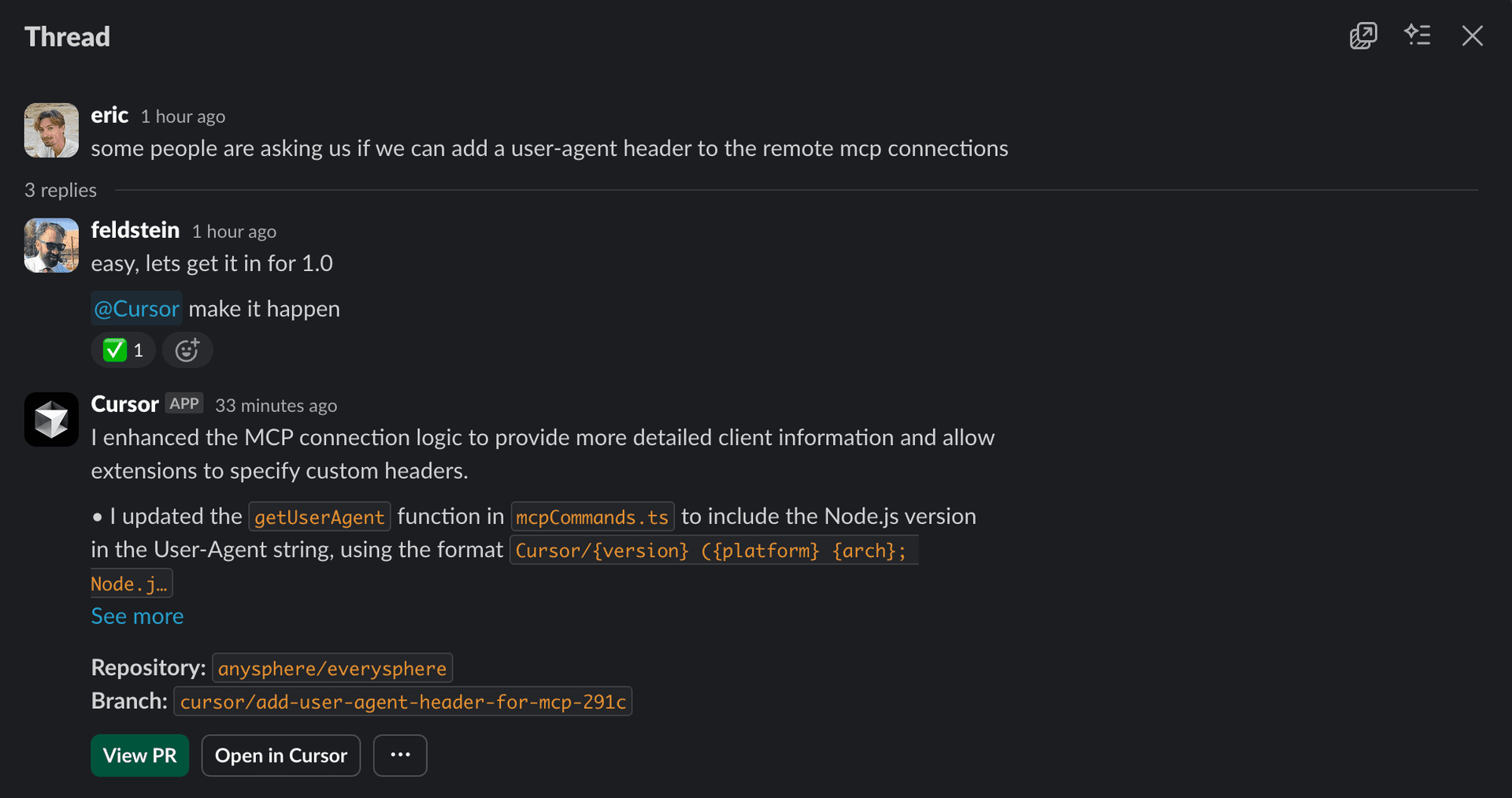
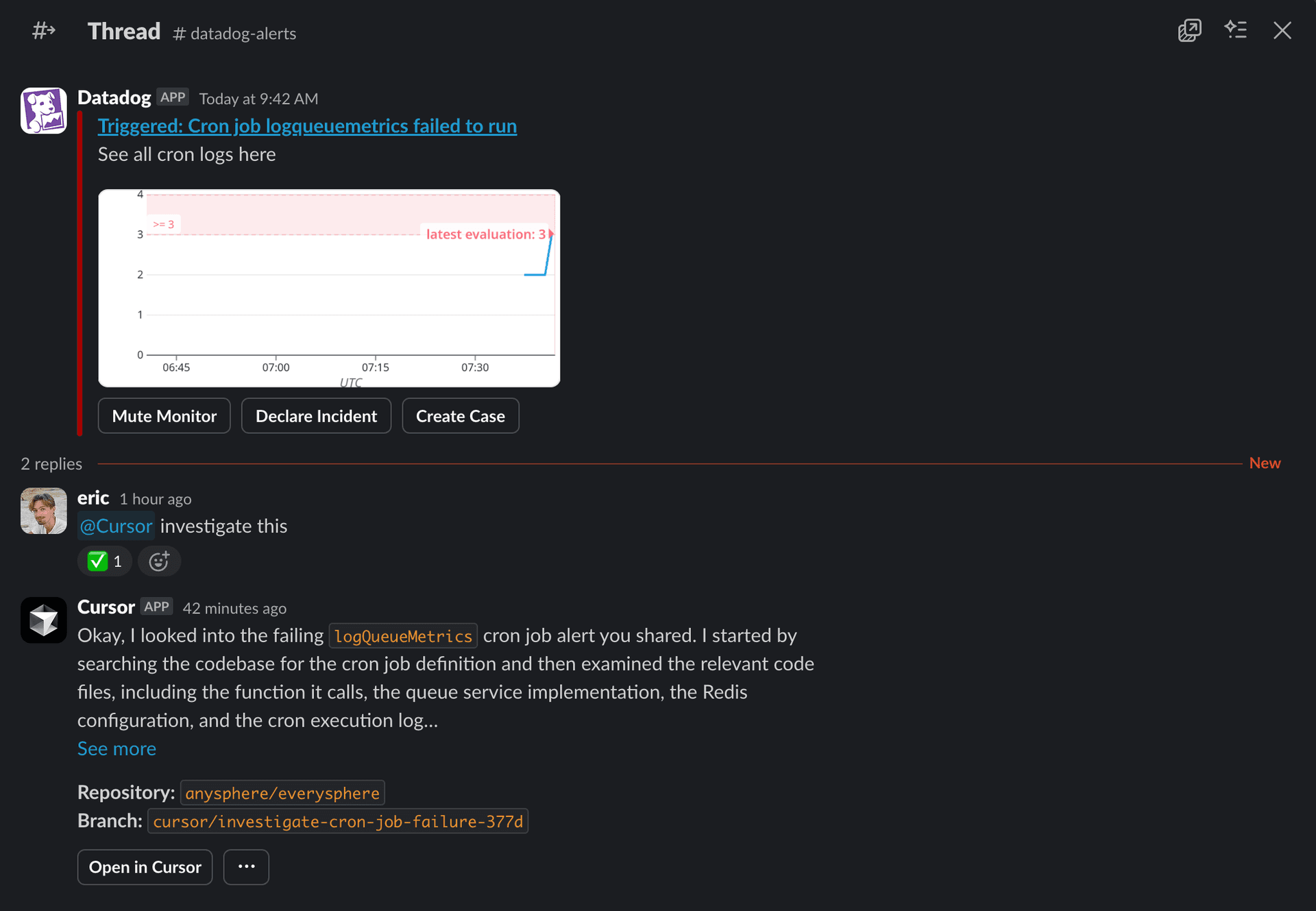
You can also ask Cursor to investigate issues and get answers:
Getting started
To use Background Agents in Slack, an admin needs to set up the integration first. Check out our setup documentation or ask your workspace admin to connect Cursor from the Dashboard → Integrations page.
Once connected, try it in any channel with @Cursor and write a prompt. Use the command help to see all commands, or settings to configure your default model, repo, and branch.
You can now start Background Agents directly from Linear. Delegate tasks to Cursor without leaving your issue. We've written a longer blog post with more details.
The terminal now opens on the left with a clear backdrop and border animation to highlight when it's blocking. Rejecting auto-focuses the input so you can respond immediately.
Get native OS notifications when an agent run finishes or when input is required, for example approving a command that is not allowlisted. Enable from Settings.
Support for MCP elicitation
Cursor now supports MCP elicitation, a new feature in the MCP spec that allows servers to request structured input from users, such as a user preference or configuration choice. Requests are defined with JSON schemas, giving servers validated responses while ensuring users stay in control of what they share.
Sending messages while Cursor is working now does a better job of steering the agent. Messages will run at the next ideal time, usually after a tool call, versus waiting until the generation completes. ⌥+Enter (Alt+Enter on Windows) will queue messages like before and ⌘+Enter (Ctrl+Enter on Windows) will interrupt the agent to send the message immediately. The default behavior can be changed in Cursor Settings → Chat → Queue messages.
Agents are significantly improved when operating across large codebases. Context selection is more relevant, token use is more efficient, and edit quality is higher:
Read file: Now reads full files when appropriate and the 2MB cap is removed.
List: Can now explore full directory trees in one call, with metadata like file counts and types.
Grep: Improved matching with less noise.
Codebase Search: Better ranking and indexing, leading to more relevant context.
Web Search: Tuned for smaller, more relevant responses using a lightweight native model.
Separate models per Agent
You can now assign a different model to each Agent in separate tabs and editors. Forking an Agent preserves the selected model.
Usage stats are now visible in Chat. You can see your usage either all time, or when you've exceeded 50% of your plan's quota.
This summary can be toggled in Settings. Team and Enterprise users will have access to the usage summary in September.
Compact chat mode
Compact mode hides tool icons, collapses diffs by default, and auto-hides the input when idle. This can be useful for long sessions with many tool calls, terminals, and diffs. You can toggle compact mode on from settings.
GitHub support for Background Agents
Agents can now be used directly inside GitHub pull requests. Tag @Cursor and the Agent will read the prompt, apply the fix, and push a commit.
Background Agent will keep you updated on status with a comment and todos.
Sidebar for all Agents
You can now inspect and manage all Agents from the left sidebar, both foreground and background. Peek into remote machines to see Background Agent working by clicking on one in the sidebar.
Agents can now use your native terminal. A new terminal will be created when needed and runs in the background if one isn't already open. Click Focus to bring it up front where you can see Agent commands and also take over.
Agents now plan ahead with structured to-do lists, making long-horizon tasks easier to understand and track.
The agent breaks down longer tasks with dependencies, visible to you in chat and streamed into Slack when relevant. It can update this list as work progresses, keeping context fresh and interactions predictable.
To-dos are also visible in Slack if integration is setup!
You can now queue follow-up messages for Agent once it's done with current task. Just type your instructions and send. Once in queue, you can reorder tasks and start executing without waiting.
Memories is now GA. Since 1.0, we've improved memory generation quality, added in-editor UI polish, and introduced user approvals for background-generated memories to preserve trust.
Cursor now indexes and summarizes PRs much like it does files. You can search old PRs semantically or explicitly fetch a PR, issue, commit, or branch into context.
This includes associated GitHub comments, BugBot reviews, and Slack agent support—making postmortem analysis or incident tracing much faster.
Codebase search is now much more accurate with our new embedding model. We've also re-tuned prompts to yield cleaner, more focused results.
Faster Tab
Tab completions are now ~100ms faster, and TTFT has been reduced by 30%. We made this possible by restructuring our memory management system and optimizing data transfer pathways.
Let Agent resolve merge conflicts
When merge conflicts occur, Agent can now attempt to resolve them for you. Click Resolve in Chat and relevant context will be added to resolve the conflict.
You can now launch Background Agents directly from Slack by mentioning @Cursor. Agents can read the thread, understand what's going on, and create PRs in GitHub, all without leaving the conversation.
Use Cursor where your team works
Mention @Cursor in any thread with a prompt like:
Agents run remotely in a secure environment and you'll get updates directly in Slack, including links to Cursor and GitHub, when the work is done.
Agents understand context
Cursor reads the entire Slack thread before starting, so Background Agents understand the full context when you reference previous discussions or issues.
You can also ask Cursor to investigate issues and get answers:
Getting started
To use Background Agents in Slack, an admin needs to set up the integration first. Check out our setup documentation or ask your workspace admin to connect Cursor from the Dashboard → Integrations page.
Once connected, try it in any channel with @Cursor and write a prompt. Use the command help to see all commands, or settings to configure your default model, repo, and branch.